

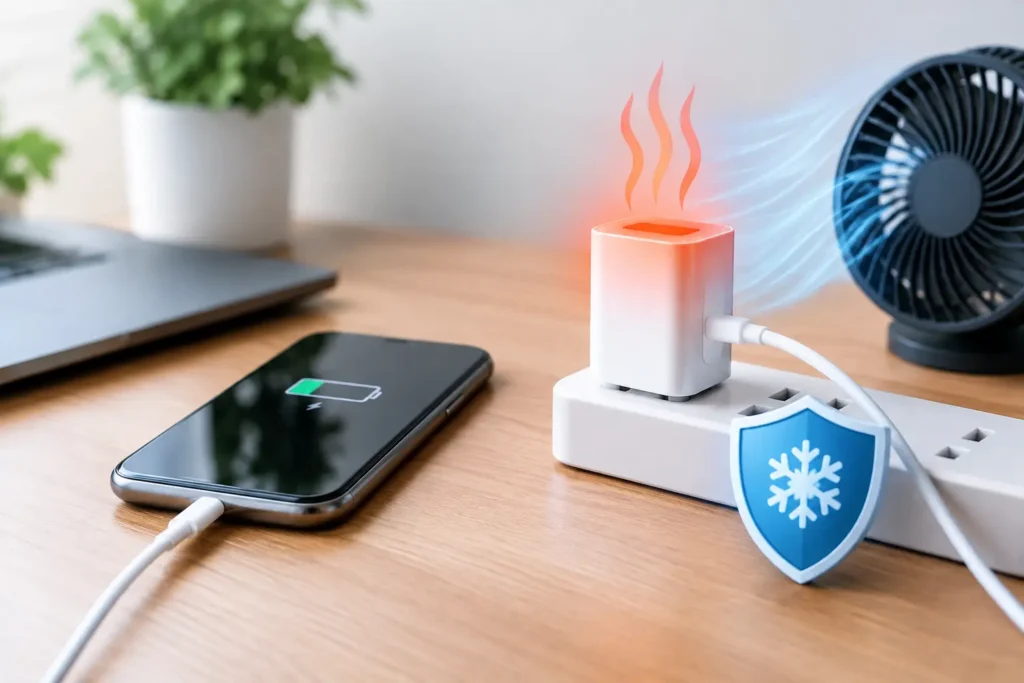
A charger that feels slightly warm after fast-charging a phone is usually normal. A charger that is too hot to hold, smells like burning plastic, makes a buzzing sound, or has a discolored plug needs a charger overheating fix right away – and that fix often starts with unplugging it, not trying to make it work harder.
Cheap charging accessories can fail in ways that are easy to ignore until they become a safety problem. The good news is that most overheating issues come down to a bad charger, damaged cable, poor airflow, a loose outlet, or a device that is working too hard while it charges. You do not need expensive gear to solve the problem, but you do need to know which part is actually at fault.
When Charger Heat Is Normal and When It Is Not
Wall chargers convert household electricity into lower-voltage power your phone, tablet, earbuds, or power bank can use. That conversion creates some heat. Larger fast chargers and wireless chargers commonly run warmer than old 5-watt phone chargers, especially when charging a nearly empty battery.
Warm is acceptable. Hot enough that you instinctively pull your hand away is not. Unplug the charger immediately if it is painful to touch, has a burnt smell, looks warped or cracked, makes popping or buzzing noises, or causes the outlet plate to feel hot. Also stop using it if charging repeatedly cuts in and out. Those are not normal fast-charging quirks.
Do not put an overheating charger in the freezer, cover it with a towel, or continue using it “just for tonight.” Let it cool on a hard, nonflammable surface and keep it unplugged while you inspect it.
Charger Overheating Fix: Start With the Safe Checks
First, remove the charger from the wall outlet and disconnect the cable from your device. If the phone itself is hot, take off a thick case and stop using demanding apps until it cools down. Gaming, video calls, navigation, mobile hotspots, and direct sunlight can heat a phone faster than the charger alone.
Once everything has cooled, inspect the charger, cable, and outlet under good light. Look for bent prongs, dark marks, melted plastic, loose USB ports, frayed cable insulation, exposed wire, or debris packed into the connector. Any physical damage is a replacement situation. Electrical tape is not a safe repair for a damaged charging cable, and a charger with cracked housing is not worth saving.
Next, try to identify the pattern. If one charger overheats in every outlet, the charger is likely bad. If several chargers get unusually hot in one outlet or power strip, stop using that outlet or strip until it can be checked. If only one cable gets hot near either end, replace the cable first. Cables are cheaper than chargers and often cause more trouble than people expect.
Common Causes You Can Actually Fix
The charger has poor airflow
Chargers need room to release heat. A wall charger squeezed behind a couch, buried under clothes, or used inside a packed travel bag will run hotter than it should. The same applies to wireless charging pads placed on blankets, sofas, or cluttered nightstands.
Move the charger to an open area on a hard surface. Keep it away from heaters, direct sun, bedding, and curtains. If that simple change makes a major difference, airflow was the problem. If it still gets very hot, do not assume ventilation is the only issue.
The cable is worn out or underbuilt
A thin, damaged, or low-quality cable creates resistance. Resistance turns electricity into heat, particularly when a phone is drawing fast-charge power. The cable may feel hottest at the USB-C, Lightning, or USB-A ends, where wear and poor connections are common.
Replace questionable cables with a properly rated cable from a reputable brand. For USB-C laptops, tablets, and higher-wattage chargers, make sure the cable is rated for the power you expect to use. A basic phone cable may charge a laptop slowly, get warm, or fail early. Paying a few dollars more for a correctly rated cable is usually better value than replacing a charger and cable after a failure.
The charger is overloaded
A multiport charger can be a good budget buy, but its total wattage is shared across ports. A 45-watt charger cannot reliably supply 45 watts to every connected device at once. When it is charging a phone, tablet, earbuds, and power bank together, it may run hot and may reduce charging speed.
Check the charger’s total output rating and use fewer ports as a test. If it cools down while charging only one device, you may be asking too much of it. This does not automatically mean the charger is unsafe, but a constantly hot budget multiport model is worth replacing with one that has more capacity than you need.
The outlet or power strip is the real problem
A loose wall outlet can create a poor electrical connection and excess heat around the plug. Warning signs include a plug that sags, sparks when moved, feels loose, or leaves dark marks on the outlet. A worn power strip can have the same problem, especially after years of use under a desk.
Do not keep testing a suspicious outlet with different chargers. Use another outlet, replace an aging power strip, and have a qualified electrician inspect a loose, hot, or discolored wall outlet. This is one area where a $15 accessory is not worth gambling with.
Your phone or battery is overheating
Sometimes the wall charger is fine, but the device is hot because it is charging while doing heavy work. Fast charging also slows down automatically when a battery gets warm. That can make people think they need a more powerful charger, when the better fix is letting the phone cool down.
Charge on a desk or table, remove a heat-trapping case if needed, and avoid games or navigation during charging. If the phone gets hot with multiple known-good chargers and cables, or its battery is swelling, shuts down unexpectedly, or drains unusually fast, the device may need service. Never press on or keep using a swollen battery.
How to Test Without Buying Random Replacements
You can narrow down the problem with a simple swap test. Use a charger and cable you already trust, then test one part at a time. Try your usual charger with a different good cable. Try the usual cable with a different good charger. Finally, test in another outlet.
Give each test enough time to warm up, but stay nearby. You are looking for a clear difference, not lab-grade measurements. If the heat follows the charger, replace the charger. If it follows the cable, replace the cable. If it happens only at one outlet or strip, stop using that power source.
Wireless charging needs one extra check: make sure the phone is centered on the pad. Poor alignment wastes energy as heat. Thick cases, metal rings, cards in the case, and magnetic accessories that are not designed for the charger can also make a wireless setup run hotter than normal.
What to Buy if You Need a Replacement
The safest affordable replacement is not necessarily the highest-wattage charger on the shelf. Buy for the device you own and leave some headroom. A 20-watt USB-C charger is plenty for many phones. A tablet may benefit from 30 to 45 watts. Laptops vary widely, so match or exceed the wattage recommended by the laptop maker.
Look for a charger from an established accessory brand with clear output ratings, a proper return policy, and safety testing listed on the packaging or product page. Be cautious with no-name marketplace chargers that make vague claims such as “super fast” without stating their wattage or charging standards. A bargain is not a bargain if it runs hot, charges inconsistently, and has to be replaced within months.
For cables, choose the right connector type and power rating, avoid visibly flimsy ends, and skip packs that are cheap enough to seem unrealistic. You do not need a luxury cable, but the lowest-priced option is often where weak connectors and poor quality control show up.
Do Not Try These “Fixes”
Do not open a wall charger. Capacitors inside can hold dangerous electrical charge even after the unit is unplugged. Do not sand, bend, or clean corroded prongs with liquids. Do not use a damaged charger only for low-power devices, either. A charger that overheats while charging a phone is not made safe by switching to earbuds.
Also skip extension-cord chains and overloaded power strips. If you need more charging spots, use a quality power strip with adequate spacing or a multiport charger with enough total output for your devices.
A good charger should do its job quietly: charge at a reasonable speed, stay mildly warm at most, and give you no reason to think about it. If yours is hot, smells strange, or has visible damage, replacement is the practical fix. The few dollars saved by keeping a questionable charger in service are not worth the risk to your phone, your outlet, or your home.