

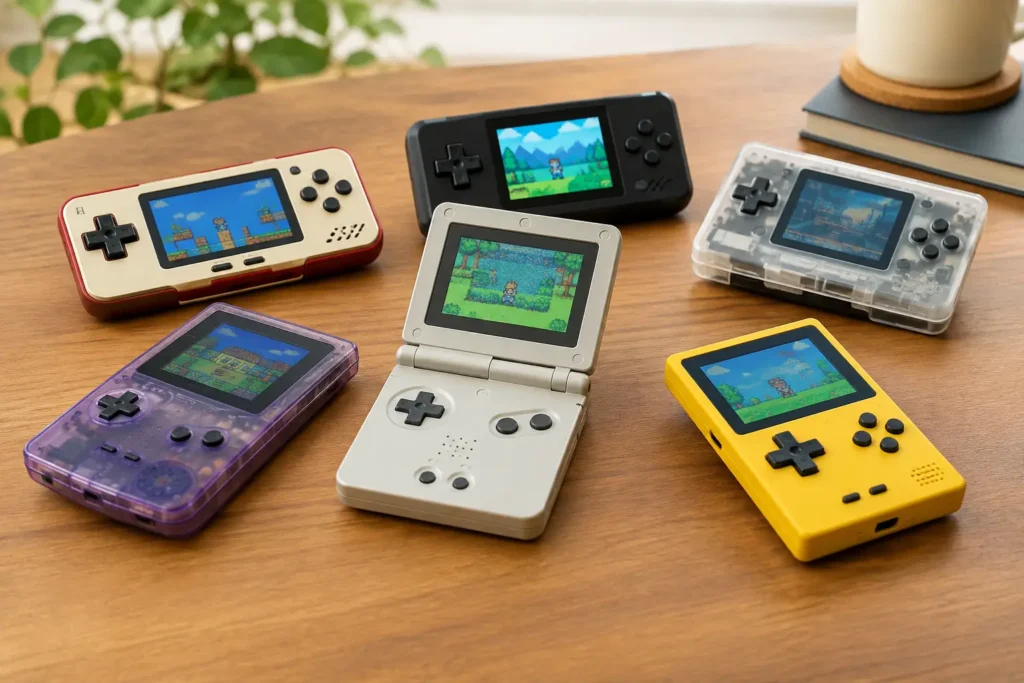
The best retro handhelds are not automatically the ones with the biggest game lists, the brightest marketing, or the highest price. A good handheld should feel comfortable, run the systems you care about without constant tweaking, and use storage you can trust. For most buyers, that means skipping mystery-brand devices loaded with questionable games and choosing a model with an active user community and clear setup support.
Here are the retro handhelds that offer the strongest value for different kinds of players, from simple Game Boy-style gaming to GameCube and PlayStation 2 emulation.
Best retro handhelds at a glance
| Best for | Handheld | Why it is worth considering | |—|—|—| | Most people who want higher-end emulation | Retroid Pocket 5 | Strong performance, excellent OLED screen, comfortable controls | | Budget horizontal handheld | Anbernic RG35XX H | Affordable, pocketable, and great for 8-bit through PlayStation | | Classic vertical design | Miyoo Mini Plus | Excellent for Game Boy, NES, SNES, and GBA fans who like a simple device | | PSP and widescreen games on a budget | TrimUI Smart Pro | Large 16:9 display and good value for PSP-focused play | | 4:3 systems with more power | Retroid Pocket Mini | OLED screen and enough power for many GameCube and PS2 games | | Bigger budget screen and controls | Anbernic RG40XX H | More comfortable than smaller low-cost handhelds |
Prices move around often, especially during marketplace sales. Treat the usual price as a guide, not a reason to pay a seller’s inflated markup.
Retroid Pocket 5: best overall for demanding systems
The Retroid Pocket 5 is the best choice for buyers who want one handheld that can cover older consoles and make a serious attempt at GameCube, PlayStation 2, PSP, and Dreamcast. It costs more than entry-level Linux handhelds, but its Snapdragon-based Android hardware, 5.5-inch OLED display, and comfortable full-size controls make the extra money easier to justify.
The big advantage is headroom. Systems such as NES, SNES, Genesis, Game Boy Advance, and PlayStation run easily, while many GameCube and PS2 titles are playable with the right emulator settings. That last part matters: PS2 and GameCube emulation is never a universal promise. Some games need adjustments, and a few will still run poorly. Do not buy any handheld expecting perfect coverage of every sixth-generation game.
Its weakness is setup. Android offers flexibility, but you will need to install emulators, organize your game files, and configure controls. If that sounds like a chore, a simpler Linux handheld may be better. For shoppers willing to spend an evening setting things up properly, the Pocket 5 is worth the money.
Anbernic RG35XX H: best budget pick
The Anbernic RG35XX H is a practical low-cost choice for classic gaming. Its horizontal layout includes dual analog sticks, shoulder buttons, and a 3.5-inch 4:3 screen that fits older console games far better than a modern phone-shaped display. It is especially good for Game Boy Advance, SNES, Genesis, arcade games, PC Engine, and the original PlayStation.
It can run some Nintendo 64, Dreamcast, PSP, and Nintendo DS games, but that should be considered a bonus rather than the reason to buy it. Performance and control layouts become less consistent as you move into those systems. Stick to the platforms it handles comfortably, and this is one of the best values in retro gaming.
The stock software works, but it can feel unfinished. Many owners eventually install a community firmware option for a cleaner interface and better settings. That is not difficult for experienced users, but beginners should choose a seller that includes a reputable branded microSD card or plan to replace the card themselves.
Miyoo Mini Plus: best vertical handheld for simple classics
The Miyoo Mini Plus is a favorite for a reason. It is small, inexpensive, and well suited to the systems many people actually remember playing: Game Boy, Game Boy Color, Game Boy Advance, NES, SNES, Genesis, and PlayStation. Its 3.5-inch screen is sharp, its controls are responsive, and the vertical shape feels right for handheld-era games.
The best reason to choose it is OnionOS, a community-made operating system that makes the device much easier to use. It offers a polished menu, save-state support, game artwork, and Wi-Fi features such as RetroAchievements. Installing it takes a little work, but the result is far better than relying on bare-bones stock software.
There are trade-offs. The Miyoo Mini Plus has no analog sticks, so it is a poor match for Nintendo 64, Dreamcast, and most PSP games. It is also compact enough that larger hands may feel cramped after an hour or two. Buy it for 2D classics and portable games, not as an all-in-one console replacement.
TrimUI Smart Pro: best for PSP on a budget
The TrimUI Smart Pro stands out because its wide 16:9 screen makes PSP games look much more natural than they do on small square displays. It has a comfortable horizontal shape, a larger screen than most low-cost models, and enough performance for solid results with many PSP titles, plus older systems up through PlayStation and Dreamcast.
It is not a replacement for a Retroid Pocket 5. Nintendo GameCube and PlayStation 2 are outside its comfort zone, and some higher-end systems will require compromises. Its analog sticks are also fine rather than exceptional. Still, for someone who mainly wants PSP, arcade games, GBA, and PlayStation without spending premium money, it is a good value.
This is a device where software updates matter. Check that you are using current firmware before judging performance, and do not assume every preconfigured card from a marketplace seller is properly organized or reliable.
Retroid Pocket Mini: best for 4:3 games with extra power
The Retroid Pocket Mini is a more specialized option, but it makes sense for players who care most about 4:3 consoles. Its compact body and OLED screen are particularly well suited to PlayStation, Nintendo 64, Dreamcast, GameCube, and many PlayStation 2 games. The screen format avoids the black bars you get when older games are stretched across a widescreen panel.
It costs enough that it will not be the right first handheld for every buyer. The smaller display can also make text-heavy PS2 games harder to read. But if your library is mostly classic home consoles rather than PSP titles, it offers a better fit than a wide-screen device. Think of it as a focused upgrade, not a bargain starter handheld.
Anbernic RG40XX H: best low-cost option for larger hands
The RG40XX H is worth considering if the RG35XX H looks a little too small. It follows a similar value formula but adds a larger 4-inch display and a roomier grip. That extra space makes a real difference for adults playing longer RPGs, racing games, or PlayStation titles.
It is still an entry-level device. Buy it for older platforms, not for demanding GameCube or PS2 emulation. Anbernic also releases many similar models, which can make its lineup confusing. The RG40XX H is worth choosing when comfort and screen size matter more than maximum pocketability. If it costs much more than the RG35XX H, the smaller model is often the better deal.
What to check before buying a retro handheld
A cheap handheld can become expensive if it arrives with a failing microSD card, poor controls, or a screen that does not suit your games. Before ordering, check four things:
- System target: For Game Boy through PlayStation, a budget Linux handheld is usually enough. For GameCube and PS2, plan on spending more for a capable Android model.
- Screen shape: A 4:3 display is best for most older consoles. A 16:9 display is better for PSP and streaming. Do not pay extra for widescreen if you only play SNES and GBA.
- Comfort: Tiny vertical handhelds are charming, but they are not ideal for large hands or long sessions. Horizontal grips are usually safer for adults.
- Storage quality: Replace unbranded bundled microSD cards with a reliable card from a known maker. Cheap cards are a common source of lost saves, corrupted game libraries, and random boot problems.
Also be cautious with listings that promise tens of thousands of games. Those collections often contain duplicates, mislabeled titles, broken files, and games the seller may not have the right to distribute. The safer route is to buy the hardware, use your own legally obtained game files, and build a library you can actually navigate.
The right pick depends on what you will play
For most budget buyers, the Anbernic RG35XX H is the sensible starting point. Choose the Miyoo Mini Plus if you want a vertical Game Boy-style device and do not need analog sticks. Spend more on the Retroid Pocket 5 only when GameCube, PS2, and a larger OLED screen are genuine priorities, not just nice-sounding features.
The best retro handheld is the one that matches your favorite systems without making you pay for power, screen space, or complexity you will not use. Buy for the games you plan to play next weekend, not the enormous library a product listing claims it can run.