

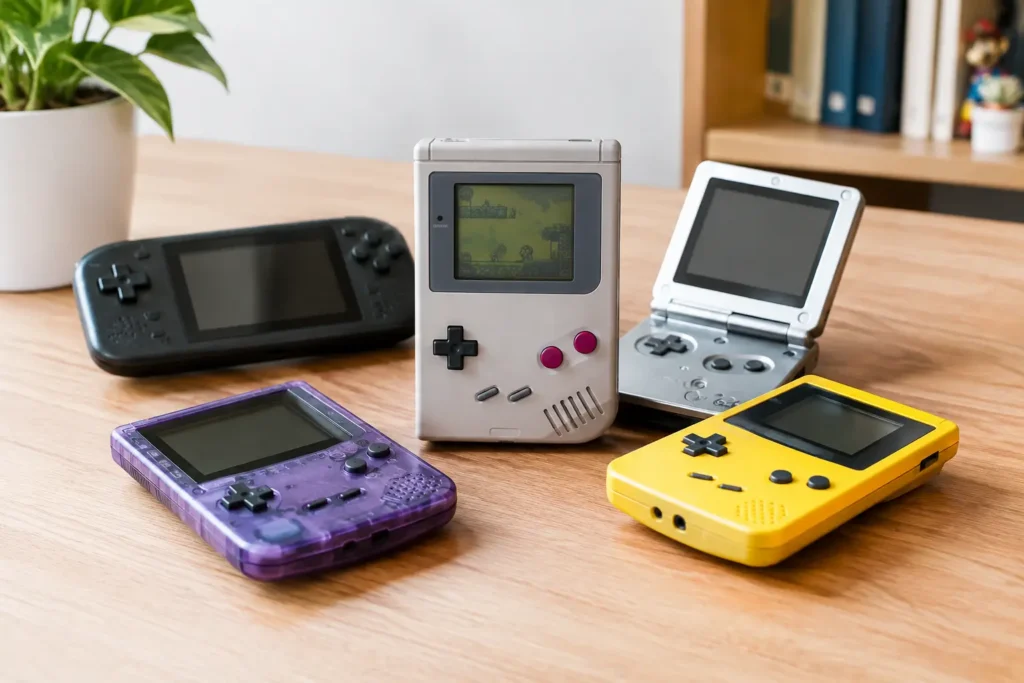
A $50 retro handheld can be a great way to replay Game Boy, NES, Genesis, and PlayStation-era favorites. It can also be a frustrating little box with a dim screen, mushy buttons, a bad microSD card, and just enough performance to make games stutter. This retro handheld buying guide focuses on the details that separate a good-value device from one you will stop using after a weekend.
The first rule is simple: buy for the systems you actually want to play, not for an inflated game-count claim on the box. A handheld advertised with 20,000 games may include duplicates, foreign-language versions, poorly named files, and games you do not care about. Hardware, controls, screen quality, and support matter much more.
Start With the Systems You Want to Play
Retro handheld performance is best understood in generations, not vague claims like “supports 30+ consoles.” Older 8-bit and 16-bit systems are relatively easy to emulate. Game Boy, Game Boy Color, Game Boy Advance, NES, SNES, Genesis, Game Gear, and arcade titles usually run well even on lower-cost handhelds.
The next group needs more care. Original PlayStation, Nintendo 64, Dreamcast, PSP, and Nintendo DS are where cheap devices begin to show their limits. Some games may run well while others need settings changes, frame skipping, or a different emulator. Do not assume that a device capable of running one Nintendo 64 game can run the full library properly.
GameCube, PlayStation 2, Wii, and 3DS emulation generally require a more powerful handheld and a larger budget. These devices can be worth considering if those libraries are your priority, but they are not the best value for someone who mainly wants 2D classics. Paying extra for horsepower you will never use is still overspending.
A practical way to set your budget is to choose your ceiling first. For Game Boy through PlayStation, a budget handheld can be enough. For reliable PSP, Dreamcast, and a meaningful amount of Nintendo 64, expect to move into the midrange. For GameCube and PlayStation 2, shop carefully and look for detailed testing of the specific games you care about.
Retro Handheld Buying Guide: Check the Hardware First
A handheld is more than its processor. You will notice the screen and controls every time you play, while a spec sheet will not tell you whether the device feels good after 30 minutes.
Screen shape matters more than resolution
For classic consoles, a 4:3 display is usually the sensible choice. It fits NES, SNES, Genesis, arcade games, and original PlayStation without large black bars or stretched graphics. A 3:2 screen is especially nice for Game Boy Advance. Wide 16:9 screens make more sense for PSP, game streaming, and Android games, but older systems will use less of the display.
Brightness, viewing angles, and scaling are worth checking too. A sharp screen is not automatically better if the software scales games poorly or applies harsh filters. Integer scaling can keep pixel art clean, though it may add borders around the image. A good handheld should give you options rather than forcing one blurry look.
Avoid extremely small screens unless portability is your top concern. Tiny keychain-style handhelds are fun for short sessions, but text-heavy RPGs, strategy games, and fast action titles are harder to enjoy on them.
Controls are where cheap devices cut corners
Look closely at the D-pad, face buttons, shoulder buttons, and analog sticks. For 2D games, the D-pad matters more than anything else. A stiff or inaccurate D-pad can ruin fighting games, platformers, and games that require diagonal inputs.
If you want PlayStation, Nintendo 64, Dreamcast, PSP, or modern streaming, analog sticks are important. Hall-effect sticks are a nice bonus because they are less prone to drift, but they are not a reason by themselves to pay far more. Good placement and comfortable stick caps matter too.
Shoulder buttons deserve extra attention. Many compact handhelds use stacked shoulder buttons that are cramped or difficult to distinguish by feel. That may be acceptable for occasional SNES play. It is a real drawback for racing games, shooters, and PlayStation titles that use L2 and R2 often.
Ergonomics are not a luxury feature. Vertical Game Boy-style handhelds are portable and charming, but wide horizontal models are usually more comfortable for adults and for systems that need analog sticks. If you have larger hands, choose comfort over the smallest possible device.
Battery claims are optimistic
A manufacturer may claim six to eight hours of battery life, but real results change with screen brightness, Wi-Fi use, the system being emulated, and speaker volume. Older 2D systems use less power than PSP or GameCube emulation.
USB-C charging is convenient, but do not assume every USB-C handheld works properly with every charger. Some low-cost models have picky charging hardware and behave better with a basic USB-A to USB-C cable and a standard 5V charger. If a device has reports of charging issues, do not experiment with high-wattage USB-C PD chargers just to save a few minutes.
Software Can Make or Break the Purchase
A good operating system makes a budget handheld easier to use. You should be able to browse games, save your progress, adjust controls, use sleep mode, and change display settings without digging through confusing menus.
Linux-based handhelds are common at lower prices. They often offer a focused console-like experience, fast startup, and strong community firmware support. The downside is that some setup may be required, particularly if you want custom themes, shaders, or a carefully organized game library.
Android handhelds offer more flexibility. They can run emulators, native Android games, cloud gaming apps, and game streaming from a PC or console. But Android also adds setup time, touch-focused menus, notifications, and more opportunities for bad default settings. It is better for tinkerers and people who want one device for retro games plus streaming.
Before buying, check whether the handheld has an active user community and current firmware support. A device with modest specs but stable software is often worth more than a newer-looking model abandoned by its maker. Community support also makes it easier to find setup help, replacement firmware, and settings for demanding systems.
Do Not Trust the Included microSD Card
This is one of the most common retro handheld mistakes. The included microSD card may work at first, but many are low-quality, slow, or falsely labeled. When it fails, it can take your operating system, save files, and game library with it.
Plan to replace it with a reputable microSD card soon after buying the handheld. Keep a backup of the original card before making changes, especially if it contains system files you may need. A reliable 64GB or 128GB card is enough for many classic libraries. Larger capacities make sense for disc-based PlayStation, Dreamcast, PSP, GameCube, or PlayStation 2 collections, where file sizes rise quickly.
Also check whether the device uses one card slot or two. Two-slot handhelds can keep the operating system separate from games, which makes maintenance and upgrades easier. One-slot designs are simpler, but backing up the card matters even more.
Be Careful With Preloaded Game Claims
Many retro handhelds arrive loaded with games, but this convenience comes with quality and legal concerns. Collections often contain duplicates, bad dumps, incorrect artwork, missing games, and questionable translations. You may also find that save states and folders are a mess.
The safer approach is to use game files you have legally dumped from games you own, where permitted, and to obtain required BIOS files from hardware you own. Copyright rules vary, and downloading games you do not own can create legal problems. A seller including thousands of games does not make those files legitimate or well organized.
Treat preloaded games as a temporary bonus, not a reason to choose one handheld over another. Buy the hardware you want, then build a clean library you can manage and back up.
Know When to Spend More and When to Skip It
Spend more when it solves a problem you will actually feel: better ergonomics for long sessions, stronger performance for the systems you play, a brighter screen for travel, or reliable Wi-Fi for streaming and updates. These improvements can make a handheld worth your money.
Skip expensive extras that do not fit your use. HDMI output sounds useful, but many people try it once and go back to playing on the couch. RGB lights, oversized game-count listings, copied special-edition shells, and vague claims about “4K output” are usually marketing, not meaningful value. A tiny device cannot make low-resolution retro games look magically modern on a large TV.
Be cautious with unfamiliar marketplace brands that have no clear support page, return policy, or replacement-part availability. A low price is not good value if the battery swells, the buttons fail, or the software is broken two weeks later. Read reviews that mention specific issues, not just five-star comments saying it arrived quickly.
The best retro handheld is the one you will pick up often. Choose a comfortable shape, a screen that fits your favorite systems, enough power with some room to spare, and storage you can trust. Start with the games you want to replay, then let that answer guide the rest of the purchase.