

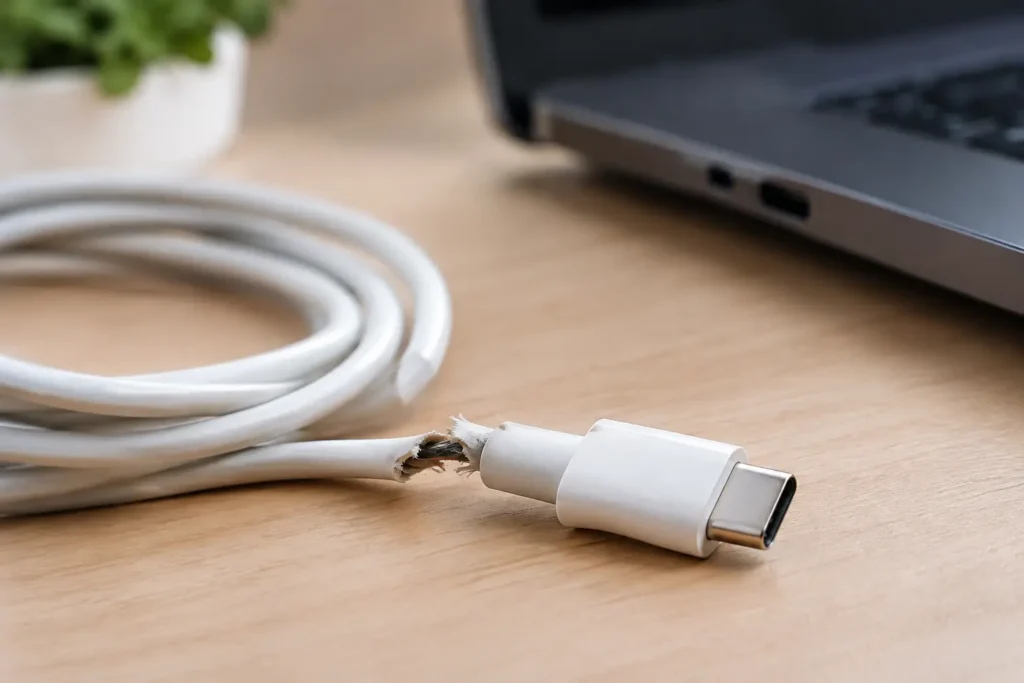
A USB-C cable can look perfectly normal right up until it starts charging your phone only at a certain angle, disconnects a drive during a file transfer, or turns a fast charger into a painfully slow one. Cheap USB-C cable failures are frustrating because the cable is often the last thing people suspect. It is also one of the easiest accessories to buy badly.
The good news is that you do not need to pay luxury-brand prices for every cable. You do need to understand what you are buying, match it to the job, and avoid the lowest-quality options that cut corners where it counts.
Why cheap USB-C cable failures are different
USB-C is a connector shape, not a promise of performance. Two cables with identical USB-C ends can support very different charging speeds, data speeds, video features, and power levels. A basic cable may be fine for charging a pair of earbuds. That same cable may be a poor choice for a laptop, power bank, external SSD, or car charger.
The lowest-priced cables often fail because of thin internal wiring, weak solder joints, poor strain relief where the cable meets the plug, or inaccurate claims about what the cable can handle. Some simply wear out early. Others work until they are asked to carry more power or data than their design can safely support.
That does not mean every inexpensive cable is unsafe and every expensive one is good. Price alone is not the test. But when a listing makes big claims – 100W charging, 10Gbps data, 4K video – for a price far below comparable cables, skepticism is reasonable.
The failures you are most likely to see
Slow charging or no fast charging
A cable can charge a device without supporting its fastest charging mode. This is especially common with phones that use USB Power Delivery, tablets, laptops, and high-output power banks. If the cable cannot carry the needed current, lacks the right internal components, or is poorly made, your device may fall back to slower charging.
Cable length matters here. A well-made 3-foot cable usually has an easier job than a very cheap 10-foot cable. Longer cables need better-quality conductors to avoid excessive voltage drop. A bargain long cable that charges slowly is not always defective, but it may not be worth keeping if fast charging was the reason you bought it.
Intermittent charging and loose connections
If charging starts and stops when you move the cable, the usual cause is a damaged connector, broken wire near the plug, or worn port. Cheap cables commonly fail at the strain-relief area because the outer jacket bends while the internal wires take the stress.
Before blaming the cable, inspect your device port for packed lint. A pocketful of debris can prevent the plug from seating fully and create the same symptoms. If the cable clicks firmly into one device but feels loose in another, the second device may need cleaning or repair.
Data transfer dropouts
Charging is a simpler job than transferring data. A cable might charge your phone reliably but fail when connected to a computer, dock, external drive, controller, or Android Auto system. You may see repeated disconnect sounds, failed backups, corrupted transfers, or an accessory that is not recognized at all.
For a low-stakes connection, that is annoying. For an external SSD or a device being updated, it can become a real problem. Do not use a cable with random disconnects for important file transfers or firmware updates. Replace it.
Excess heat, smell, or visible damage
A cable should not become hot during ordinary charging. It can feel slightly warm while delivering high power to a laptop, but heat at the connector, a burnt-plastic smell, discoloration, swelling, exposed wire, or a bent plug are reasons to stop using it immediately.
Do not wrap electrical tape around a split cable and keep using it. The outer jacket is not just cosmetic. Once the cable is damaged, its internal wires can bend, short, or overheat more easily. This is a clear skip, not a repair project.
What actually causes these failures
The most common issue is cost-cutting in materials and assembly. Copper conductors are expensive, so low-end manufacturers may use wires that are too thin for the stated power rating. Poor soldering can create a connection that works on day one but fails after normal bending. Weak molding around the plug gives the cable little protection where it needs it most.
USB-C also has more complexity than older USB cables. Higher-wattage USB-C to USB-C cables may need an electronic marker, often called an e-marker, to correctly identify their power capability to connected devices. A properly designed cable and charger negotiate power before delivering it. A badly made or falsely labeled cable can disrupt that process, leading to slow charging, unreliable behavior, or unnecessary risk.
There is another problem: misleading listings. Terms such as “fast charge” and “high speed” are often used without a clear wattage or data-speed rating. A cable advertised as “USB-C 3.2” may still be vague about whether it supports the claimed speed in real use. If the listing does not plainly state its charging wattage, data rate, length, and connector types, you are buying on hope.
How to tell whether the cable is the problem
Start with the simplest test. Use the same charger and device with a cable you know works. Then test the questionable cable with the same setup. If the problem follows the cable, you have your answer.
For charging issues, try a different wall charger as well. A weak charger, damaged power bank, or dirty port can look like a cable failure. If your phone displays “slow charger” or takes much longer than normal to charge with only one cable, that cable is the likely weak link.
For data problems, test with a different computer port and, if possible, a different device. Keep the cable still while transferring a moderately large file. Any disconnect, error message, or repeated reconnecting is enough reason to retire it from data duties.
A USB-C power meter can be useful if you regularly test chargers, power banks, or laptop cables, but most shoppers do not need one. Known-good comparison cables and a little patience will identify the majority of problems.
What to look for in a budget cable
The best value is usually a cable with clear, modest specifications from a manufacturer that has a track record of making accessories. You are paying for better materials, honest labeling, and quality control, not necessarily a fashionable logo.
Match the cable to your actual use. For everyday phone charging, a USB-C to USB-C cable rated for 60W is often more than enough. For a laptop that charges above 60W, choose a 100W or higher-rated cable from a trustworthy brand. For an external SSD, monitor, dock, or fast file transfer, check the data rating separately. A charging cable is not automatically a fast data cable.
Length should be practical, not excessive. A 3- to 6-foot cable is a sensible default for most desks, nightstands, and travel bags. Buy a longer cable only when you need the reach, and avoid ultra-cheap long cables for high-wattage charging.
Look for a stated warranty, a clear wattage rating, and reinforced strain relief near both plugs. USB-IF certification can be a positive sign when it is clearly documented, though a cable does not have to carry that certification to be worth your money. What matters is transparent specifications and a reputation that holds up outside a single marketplace listing.
When a cheap cable is fine and when to spend more
A basic low-cost cable can be a reasonable spare for charging earbuds, a low-power controller, or an older phone at your desk. The risk is lower when the device draws little power and you are not relying on the cable for critical data.
Spend a little more for laptop charging, high-output car charging, power banks, travel, external drives, docks, and any cable that will be bent or plugged in constantly. Those are the jobs where a cable failure costs more than the cable itself, whether that means a dead phone during a trip or a corrupted file transfer.
Avoid buying a pile of mystery-brand cables just because the bundle price looks good. One dependable cable in the right length is better value than six cables that charge inconsistently and end up in a drawer.
A USB-C cable is a small purchase, but it sits between your devices and the power they depend on. Buy for the job you need done, replace damaged cables early, and treat unclear specifications as a warning sign. That is how you save money without settling for accessories that create more problems than they solve.