

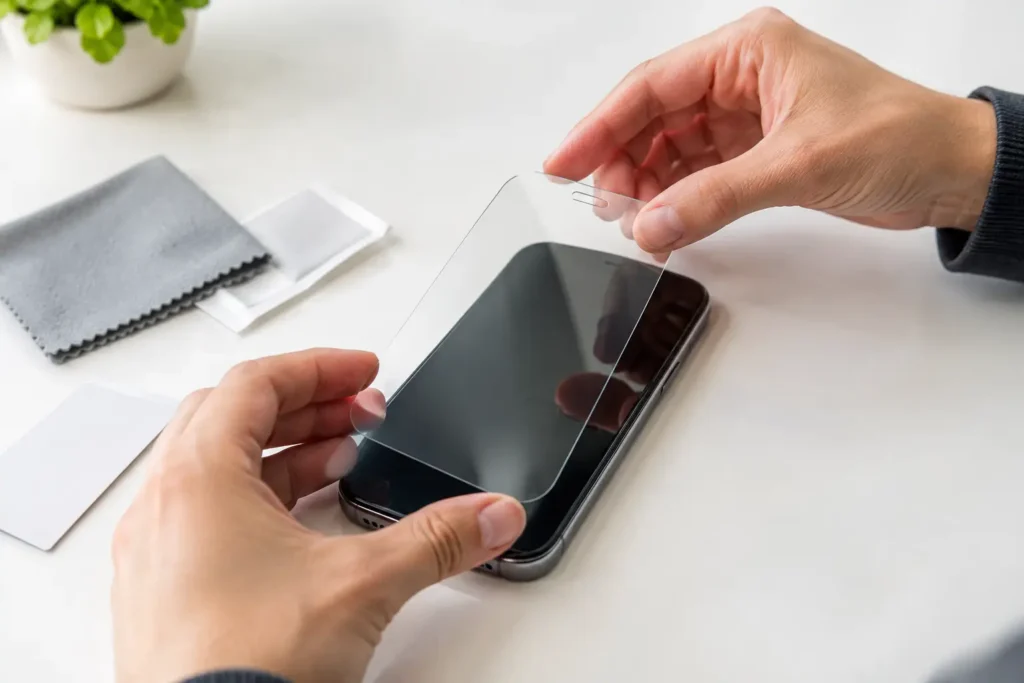
A $10 tempered glass screen protector can save you from a much more expensive screen repair, but only if it goes on straight and stays free of dust. Learning how to install tempered glass is less about having steady hands than controlling the one thing that ruins most installs: tiny airborne debris.
The good news is that you do not need an expensive installation kit or a phone-store employee to get a clean result. You need a clean workspace, a few minutes without interruptions, and the patience to line it up before letting the adhesive touch the screen.
What you need before you start
Most decent tempered glass protectors include a wet wipe, dry microfiber cloth, dust-removal stickers, and sometimes an alignment frame. Check the package before starting. If the kit is missing something, a clean microfiber cloth and ordinary transparent tape can usually do the job.
Avoid paper towels, tissues, shirts, and kitchen cloths. They can leave lint behind or put fine scratches into a dirty screen. Also, do not install the protector on a freshly cleaned counter covered in crumbs, pet hair, or dust.
Your phone should be at least partly charged before you begin. You will need the screen on to check alignment, and it is annoying to connect a charger halfway through a careful installation.
Pick the right place, not just a flat surface
Bathrooms can be a surprisingly good choice because they usually have less floating dust after a hot shower has run briefly. Do not put your phone near water or steam, though. Let the room settle for a few minutes, then work on a dry, well-lit counter.
A kitchen table can work if it has been wiped down and is away from open windows, ceiling fans, pets, and air vents. Turn off fans before you start. One small gust can carry a piece of lint onto the screen at exactly the wrong moment.
Wash and dry your hands thoroughly. Skin oils make dust stickers less effective and can leave smudges around the edges of the protector.
How to install tempered glass step by step
1. Check that the protector matches your phone
Before removing any protective film, place the tempered glass protector over the phone without peeling it. Check the speaker cutout, selfie camera opening, sensors, and corners.
This quick test matters because many phones have similar names but different screen sizes. A protector for a regular model may not fit the Plus, Pro, Ultra, or FE version. If the cutouts do not line up, stop. Forcing the wrong protector into place is a waste of money and can interfere with the front camera or face-unlock sensors.
If you use a thick or rugged case, check whether the protector is labeled case-friendly. Full-coverage glass can sit too close to the edge, allowing a tight case to push it up over time. A slightly smaller case-friendly protector often lasts longer, even though it leaves a narrow border around the display.
2. Clean the screen in the right order
Turn off the phone or lock the screen. Start with the included wet wipe to remove fingerprints and oil. Next, use the dry microfiber cloth until the display looks completely clear.
Then tilt the phone under a bright light. Look for dust, lint, and streaks, especially around the front camera and near the edges. Use a dust-removal sticker to lift each speck. Press the sticker lightly onto the debris and lift it away. Do not drag it across the screen.
This is the step worth taking slowly. A tiny speck trapped under tempered glass usually creates a permanent bubble or a noticeable bump. The protector may still protect the screen, but it will look bad every time the display is off.
3. Use the alignment frame if your kit includes one
An alignment frame is not a gimmick when it fits properly. It keeps the protector from drifting sideways as you lower it. Put the phone into the frame, confirm it sits flat, and follow the kit’s instructions for placing the glass.
Not every budget protector includes a good frame. Some flimsy frames can be more trouble than help, particularly if they do not sit securely around the phone. If yours feels loose, use the hinge method instead.
4. Use tape hinges for a no-frame installation
Place the protector on the clean screen and line up the top speaker and camera cutouts. Once it is centered, put two short pieces of tape along one long edge, half on the phone and half on the protector. This creates a hinge.
Lift the protector like opening a book while keeping the tape attached. Do one final dust check on the screen and the adhesive side of the glass. If you see dust on the adhesive, lift it with a dust sticker. Do not touch the sticky surface with your fingers.
5. Remove the backing and lower the glass slowly
Peel off the protective backing from the adhesive side. Hold the protector by its edges. Lower it using the tape hinge or alignment frame, making sure the top cutouts stay lined up.
Once the glass is resting in the right position, lightly press the center of the screen with one finger. The adhesive should begin spreading outward in a slow circle. Let it do most of the work before pressing around the edges.
Do not immediately mash the entire protector down. If it landed crooked, you have a better chance of correcting it before the adhesive fully settles.
6. Push out remaining air
Small air bubbles near the middle usually disappear when you press them toward the nearest edge with a microfiber cloth or the included squeegee. Use firm, even pressure, not a fingernail.
A clear bubble is usually trapped air. A bubble with a visible speck in the center is dust. Air can often be pushed out. Dust cannot, at least not without carefully lifting the nearest edge and removing the debris.
After the bubbles are gone, wait a few minutes before putting the case back on. Then check each edge. If a case is lifting the glass, the protector and case are not a good match. Do not assume it will fix itself.
What to do if you trapped dust or installed it crooked
If you catch the problem right away, you may be able to save the protector. Use a clean piece of tape to gently lift the nearest corner. Avoid bending the glass sharply. Tempered glass is more rigid than plastic film and can crack if you flex it.
With the protector lifted just enough to reach the problem, use a dust sticker to pick up the particle from the phone screen or adhesive side. Lower the glass again and press from the center outward.
This works best once or twice. Repeatedly lifting the protector weakens the adhesive and increases the chance of adding more lint. If the glass has several large dust spots, cracks, or refuses to stick around the edges, skip the frustration and replace it. A multi-pack from a reputable budget brand is usually better value than trying to rescue a bad first attempt.
Common mistakes that waste a screen protector
The biggest mistake is rushing after the backing comes off. Most crooked installs happen because the user tries to lower the glass in one fast motion without checking the camera and speaker cutouts.
Another common problem is buying a protector based only on a phone’s brand. Exact model compatibility matters. Screen curves, camera positions, and even the size of the earpiece slot can differ between versions released in the same year.
Also, do not confuse a black border with better protection. On some cheap protectors, the printed border covers a small portion of the display or interferes with touch response near the edges. Clear-edge protectors are often the safer pick unless your phone specifically needs a border for proper fit.
Finally, remember that tempered glass is a sacrificial layer. It can crack from a drop while the phone screen underneath remains fine. That is not necessarily a product failure. Replace a cracked protector promptly, since sharp cracks feel unpleasant and can collect dirt.
A clean, well-aligned protector is one of the cheapest phone upgrades that is actually worth your money. Take ten careful minutes at the start, and you are far less likely to spend the next year staring at a bubble you could have avoided.