

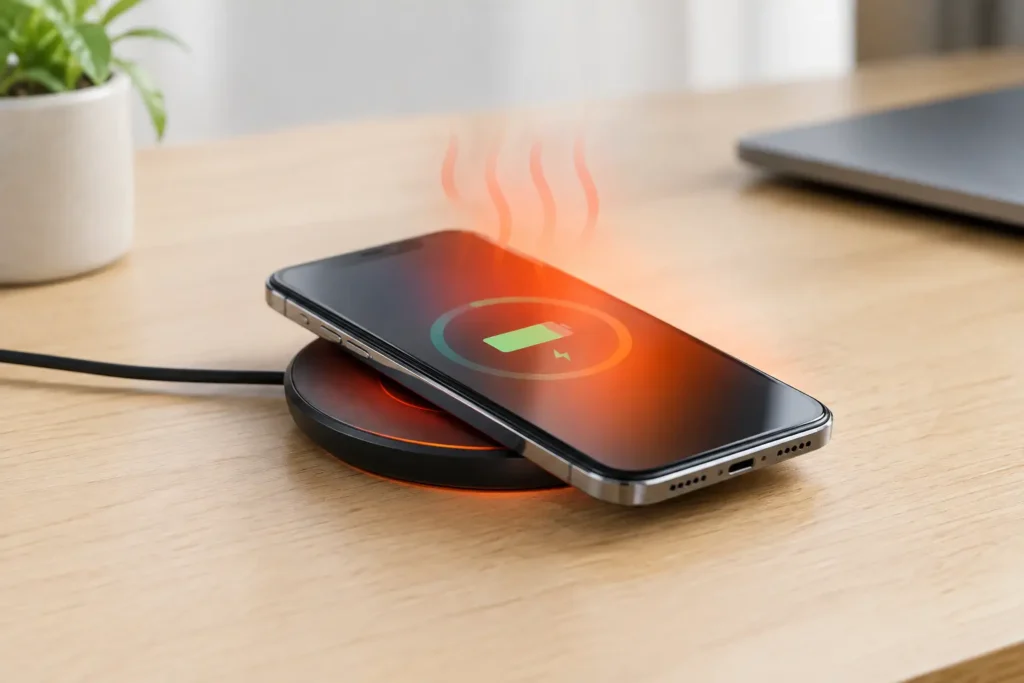
A phone that feels warm after sitting on a charging pad can be unsettling, especially if you bought a cheap wireless charger online. So, can wireless chargers overheat phones? They can create more heat than a wired charger, and a bad setup can make that heat excessive. But a little warmth during charging is normal and does not automatically mean your phone or charger is unsafe.
The practical answer is this: a decent Qi-certified charger, used correctly, should slow down or stop if temperatures get too high. The bigger risk comes from poorly made chargers, bad alignment, thick cases, hot rooms, and leaving a phone charging under blankets or other heat-trapping materials.
Why Wireless Chargers Make Phones Warm
Wireless charging transfers power through coils rather than a cable. The charging pad creates a magnetic field, and a coil inside the phone receives that energy and converts it into electricity. Some energy is lost as heat in the process.
A wired charger is usually more efficient because electricity travels directly through the cable into the phone. Wireless charging has more room for waste, particularly when the phone is not centered on the pad. That does not make wireless charging bad. It just means heat management matters more.
Fast wireless charging can also run warmer than standard charging. A 5W or 7.5W pad is generally gentler, while 10W, 15W, and brand-specific fast charging modes can produce noticeably more heat. If you charge overnight and do not need speed, a slower charger is often the better value and the easier choice on your battery.
Your phone also produces heat on its own. If it is running navigation, streaming video, downloading updates, gaming, or sitting in a warm car, adding wireless charging can push it beyond a comfortable temperature. The charging pad may be working normally, but the combined workload is the problem.
Can Wireless Chargers Overheat Phones Enough to Cause Damage?
Modern phones have temperature controls designed to reduce the risk. When a phone gets too warm, it may charge more slowly, pause charging, dim its screen, show a temperature warning, or temporarily limit performance. These safeguards are meant to prevent serious damage.
Still, repeated high heat is not great for a lithium-ion battery. Heat can speed up battery aging over time, which may mean shorter battery life after months or years of use. This is not usually a one-night disaster. It is more of a long-term wear issue, especially for people who regularly charge on a hot pad while using the phone heavily.
A charger should never become painfully hot, smell like burning plastic, make buzzing or crackling noises, or leave the phone too hot to hold comfortably. Those are not normal signs of fast charging. Unplug it, remove the phone, and stop using that charger until you can inspect or replace it.
The same goes for a swollen battery, a lifting screen, or unexplained shutdowns while charging. Those symptoms need attention regardless of whether you charge wirelessly or with a cable.
What Usually Causes Excessive Heat
Most overheating complaints come down to a few common issues. Poor alignment is near the top of the list. If the phone is slightly off-center, the charger may struggle to transfer power efficiently. It can keep trying to connect, creating extra heat while charging slowly or inconsistently.
A thick case can cause the same problem. Cases with metal plates, magnetic rings that are not designed for the charger, wallets, pop grips, and built-in batteries can interfere with charging. Even a case that technically allows wireless charging may trap heat around the back of the phone.
Foreign objects are another concern. Coins, keys, foil-backed cards, and other metal items placed between the phone and pad can heat up quickly. A properly designed Qi charger should include foreign object detection, but that feature is one reason to avoid no-name pads with vague safety claims.
Finally, a weak power adapter can cause trouble. Many wireless chargers do not include a wall adapter, and their advertised speed may require a specific USB-C Power Delivery or Quick Charge adapter. Using an old, low-output adapter will not usually overheat a phone, but it can lead to unreliable charging. Using a cheap, poorly built adapter is the bigger safety concern.
How to Keep Wireless Charging Cooler
Start with placement. Put the charging pad on a hard, open surface such as a desk, nightstand, or counter. Do not use it on a bed, couch, carpet, or inside a drawer. Soft surfaces hold heat and can block airflow around both the charger and the phone.
Center the phone carefully and check that the charging icon appears promptly. If it repeatedly starts and stops, or if you have to position the phone just right for it to work, the pad may be poorly designed or incompatible with your case. Do not accept finicky charging as normal.
Take off a thick or heat-trapping case if your phone gets very warm. This is especially worth doing during fast charging, in warm weather, or when the phone is already working hard. You do not need to remove a thin standard case every time, but the temperature of the phone should guide you.
Avoid charging while gaming, using GPS navigation, or watching video for long periods. If you need to use your phone heavily while it charges, a quality wired charger is usually the cooler and more efficient option. Wireless charging is most useful when the phone can sit still.
If your phone has an optimized charging or battery protection setting, turn it on. These features can limit how long the battery sits at 100%, which helps reduce long-term battery stress. They will not fix a faulty charger, but they are useful for overnight charging.
What to Look for in a Safe, Affordable Wireless Charger
You do not need a premium charging stand to charge safely. But the absolute cheapest pad is often where false speed claims, weak temperature control, and poor build quality show up. A modestly priced charger from a known accessory brand is usually worth the small extra cost.
Look for Qi certification or clear compatibility with your specific phone. Qi is the widely used wireless charging standard, and certification gives you more confidence that the charger has passed basic testing for safety and interoperability. Be cautious with listings that use vague phrases like “Qi compatible” but never identify the actual certification.
A charger should clearly state its supported output, required wall adapter, and whether an adapter is included. This prevents a common budget-shopping mistake: buying a 15W charging pad, then connecting it to an old 5W USB wall plug and wondering why it barely works.
A stand can be a smarter buy than a flat pad for some people. It makes alignment easier, lets heat escape from the back more freely, and allows you to see notifications without picking up the phone. A flat pad is fine for a nightstand, but it is easier to misalign in the dark.
Magnetic wireless chargers can be convenient for compatible iPhones and Android phones with the right magnetic case. The magnet helps keep the coils aligned, which can reduce wasted energy and charging interruptions. Just make sure the charger and case are built for the same magnetic charging system rather than mixing random accessories.
When You Should Skip Wireless Charging
Wireless charging is convenient, not essential. If your phone gets consistently hot on multiple pads, if you need the fastest possible recharge, or if you regularly use your phone while charging, a wired USB-C or Lightning charger is the better tool.
It is also worth skipping a wireless charger if the only option in your budget is an unbranded model with no meaningful product details, no stated safety features, and a suspiciously high wattage claim. Saving a few dollars is not worth risking a charger that fails early or behaves unpredictably.
For overnight charging, a basic 5W to 10W Qi charger from a reputable brand is often enough. It may not impress anyone with a big number on the box, but slow, steady charging is usually all you need when the phone has hours to recharge.
Quick Questions About Phone Heat and Wireless Charging
Is it normal for a wireless charger to get warm?
Yes. The pad and phone may feel warm, especially during the first part of charging. It should not become extremely hot, smell unusual, or cause charging to repeatedly stop.
Does wireless charging ruin battery health?
Not by itself. The concern is repeated excess heat, not the wireless feature alone. Keeping the phone aligned, cool, and out of direct sun reduces the battery impact.
Should I leave my phone on a wireless charger overnight?
Usually, yes, if the charger is reputable and the phone stays at a normal temperature. Use a hard surface, keep bedding away from it, and choose a slower charger if you do not need fast charging.
A wireless charger should make charging easier, not give you another device to babysit. If your phone stays mildly warm, charges reliably, and comes from the pad ready for the day, the setup is doing its job. If it runs hot or acts inconsistent, skip the bargain-bin charger and switch to a better pad or a simple wired charger.