

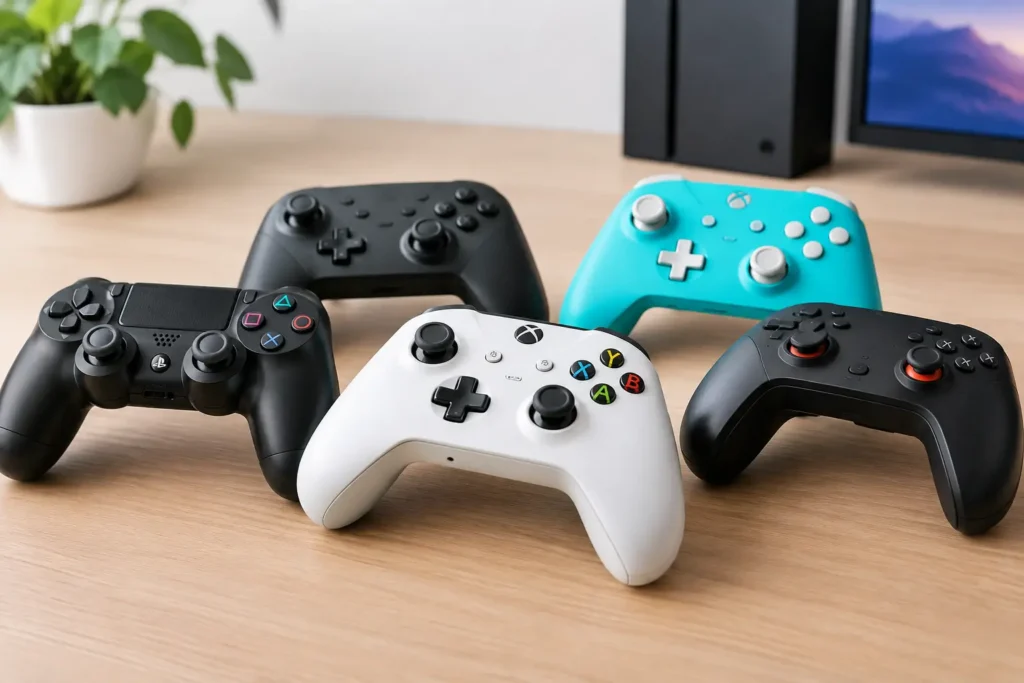
A cheap controller can save you money once and cost you twice when the sticks start drifting, the wireless connection drops, or it will not work with the device you own. The best budget gaming controllers avoid those problems without charging premium-controller prices. The right one depends less on the logo and more on where you play, whether you need wireless, and how much you care about stick durability.
Prices move around often, especially during sales. The picks below are typically good buys at their usual budget prices, not just when a seller temporarily cuts the price.
The best budget gaming controllers at a glance
| Controller | Best for | Typical price | Main catch | |—|—|—:|—| | GameSir G7 SE | Xbox and PC | $40-$50 | Wired only | | 8BitDo Pro 2 | Switch, PC, and mobile | $40-$50 | Smaller grips than an Xbox pad | | GameSir Nova Lite | Low-cost multi-platform play | $25-$35 | Software and finish are basic | | PowerA Enhanced Wired Controller | Simple Xbox controller on sale | $25-$35 | Conventional sticks can drift | | Logitech F310 | Very cheap PC games and emulators | $20-$25 | Dated design and wired only | | Xbox Wireless Controller | Best sale-priced all-rounder | $45-$55 | Usually above budget at full price | | 8BitDo Ultimate 2C Bluetooth Controller | Switch players wanting Hall Effect sticks | $30-$40 | Confirm the exact version before buying |
GameSir G7 SE: best value for Xbox and PC
The GameSir G7 SE is the easy recommendation for Xbox owners who do not need wireless. It is officially made for Xbox Series X|S, Xbox One, and Windows PC, and it uses Hall Effect sensors in its sticks. Unlike conventional stick modules, Hall Effect designs use magnets rather than physical contact to detect movement. That does not make a controller indestructible, but it can reduce the risk of the familiar drift problem over time.
It also has a 3.5 mm headset jack, two rear buttons, and replaceable faceplates. The shape is comfortable for most hands and feels closer to a mainstream console controller than a bargain-bin alternative. Its biggest weakness is simple: the cable is not optional. If you play from a couch far from the console, save for a wireless Xbox controller instead.
8BitDo Pro 2: best for Switch, PC, and mobile
The 8BitDo Pro 2 is a strong choice for people who use more than one platform. It works with Nintendo Switch, Windows, Android, and Apple devices, and its flat, PlayStation-style layout is especially comfortable for retro games, 2D games, and long sessions that involve a lot of D-pad use.
Its back buttons and software customization are useful, but they are not the main reason to buy it. The real value is compatibility combined with a better D-pad than most cheap controllers offer. The trade-off is its smaller, less sculpted grip shape. Players who strongly prefer the feel of an Xbox controller may be happier with a GameSir or first-party Xbox pad.
GameSir Nova Lite: best under $35 for flexible play
The Nova Lite is worth considering when your budget is tight but you still want modern features. It supports Switch, PC, Android, and iPhone or iPad gaming, with Bluetooth and 2.4 GHz wireless options depending on the bundle. It also includes Hall Effect sticks, which is uncommon at this price.
Expect compromises. The plastic and buttons do not feel as polished as those on an Xbox controller or 8BitDo’s better models, and the companion software is less refined. Still, it is a practical controller for casual Switch play, cloud gaming, emulation, and PC games. At around $30, it is a much safer bet than an unknown marketplace brand making big claims about “pro” features.
PowerA Enhanced Wired Controller: best simple Xbox option on sale
PowerA’s Enhanced Wired Controller is a sensible choice when it drops below $30. It is officially licensed for Xbox, works with Windows PCs, has a headset jack, and does not require pairing, charging, or firmware troubleshooting. Plug it in and play.
The main concern is long-term stick wear. Most versions use standard stick modules, so they do not have the potential drift advantage of Hall Effect models. Buy it if you want a familiar Xbox-style controller at the lowest reasonable price, but choose the GameSir G7 SE if the two are close in price.
Logitech F310: best cheap controller for basic PC use
The Logitech F310 has been around for years because it does one basic job reliably. It is a wired USB controller for Windows PCs, and its switchable XInput and DirectInput modes can help with older PC games and emulators that are picky about controller support.
It is not a good choice for everyone. The cord is fixed, the sticks feel dated, the triggers are basic, and there is no wireless option. But if you need a no-frills controller for a laptop, a retro gaming setup, or occasional co-op, it remains a reasonable low-cost pick. Do not pay much more than $25 for one.
Xbox Wireless Controller: best if you catch a sale
Microsoft’s official Xbox Wireless Controller is not always a budget buy, but it becomes one when sale prices reach the $45 to $55 range. It has broad support on Xbox, Windows, Android, iPhone, iPad, smart TVs, and many streaming devices. Button prompts generally match what PC games show on screen, which makes setup easier than with many third-party pads.
You are paying for compatibility and a proven, familiar shape, not special hardware. It uses regular stick modules, and AA batteries are included instead of a rechargeable pack. That can be a benefit if you prefer swap-in batteries, but it is an extra cost if you do not already own rechargeables. At full price, skip it for the GameSir G7 SE or 8BitDo Pro 2 unless wireless Xbox play is a must.
8BitDo Ultimate 2C Bluetooth Controller: best low-cost Switch upgrade
For Switch players who want a controller with Hall Effect sticks but do not want to pay for Nintendo’s Pro Controller, the 8BitDo Ultimate 2C Bluetooth Controller is worth a look. It offers a more traditional controller shape, motion controls, and Switch support at a price that is often far lower than first-party options.
Pay close attention to the product name before ordering. 8BitDo sells several Ultimate and Ultimate 2C versions with different wireless modes and platform support. A controller marketed for Windows and Android is not automatically compatible with Switch. This is not a flaw in the controller, but it is a common buying mistake.
What matters more than a low price
Compatibility comes first. Xbox consoles are the most restrictive: a controller may work perfectly on a PC yet not work on an Xbox at all. Look for official Xbox licensing if Xbox console support is required. Nintendo Switch is more flexible, but features such as wake-from-sleep, motion controls, NFC amiibo support, and wired communication vary widely.
For PC gaming, XInput support matters. Most newer Windows games are built around the Xbox controller layout, so an XInput-compatible controller usually works with less effort. Steam can help map other controllers, but that does not mean every game will display the right button prompts or behave perfectly.
Wired versus wireless is the next decision. A wired controller is cheaper, never needs charging, and usually has less input delay. It is often the better value at $30 to $50. Wireless is more convenient for TV gaming and couch play, but Bluetooth support is not identical across every device. A controller with a dedicated 2.4 GHz receiver is often more dependable on a PC than a Bluetooth-only model.
Hall Effect sticks are worth prioritizing when the price difference is small. They are not a guarantee against every controller failure, and trigger, button, battery, or connection problems can still happen. But for budget shoppers worried about drift, they are a meaningful advantage.
Budget controller mistakes to avoid
Avoid unbranded controllers with impossible feature lists and very low prices. Listings that promise universal compatibility, Hall Effect sticks, programmable buttons, RGB lighting, a charging dock, and “pro” performance for $15 often cut corners where it matters: wireless stability, quality control, and support.
Also avoid buying based only on a console-shaped logo or color scheme. A controller can look like an Xbox pad while lacking Xbox console compatibility. Read the supported-platform line, not just the listing title. If it says “for PC,” assume it is for PC only unless Xbox support is clearly stated.
Finally, do not overpay for rear buttons if you will never use them. They can help in competitive games, but a comfortable controller with reliable sticks is better value than a feature-packed model with awkward grips.
A good controller should disappear into the game, not become another device you have to troubleshoot. Start with the platform you actually use, choose wired if it saves meaningful money, and spend a little more for proven compatibility when it prevents a bad purchase.