

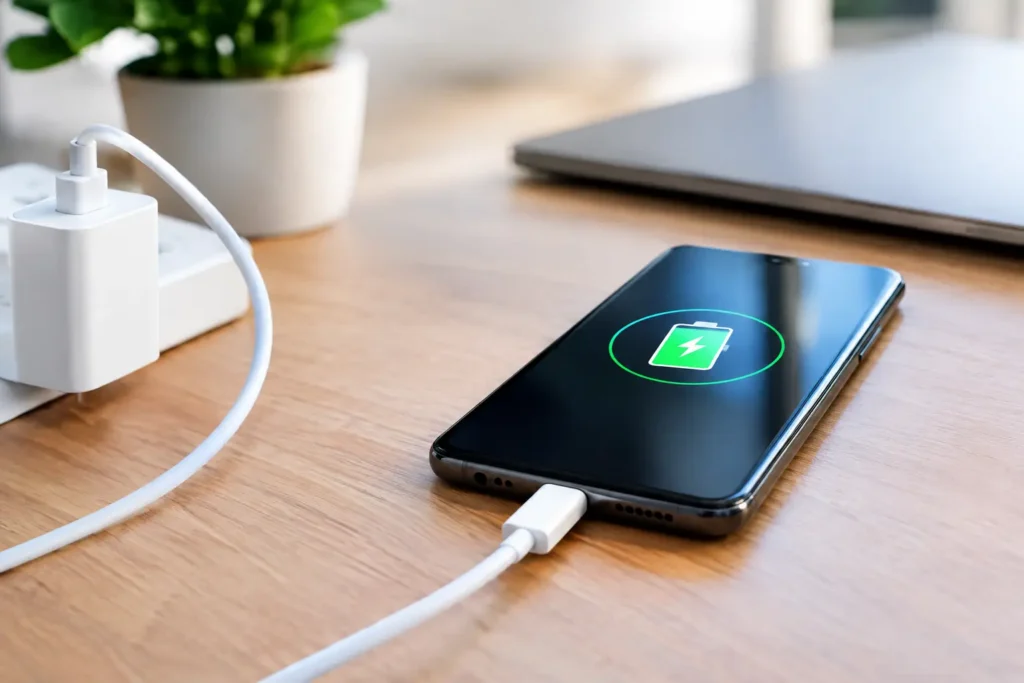
A phone that jumps from 15% to 70% while you get ready for work feels like a lifesaver. But does fast charging reduce battery life? The honest answer is: it can add some wear, but a good fast charger used normally is not likely to ruin a modern phone battery on its own.
The bigger concern is heat. A phone battery ages faster when it stays hot, whether that heat comes from fast charging, wireless charging, gaming, a hot car, or all of the above. For most people, the convenience of fast charging is worth the small trade-off. The goal is not to avoid it completely. It is to avoid the cheap accessories and bad charging habits that create unnecessary heat.
Does Fast Charging Reduce Battery Life Over Time?
All rechargeable lithium-ion batteries lose capacity over time. That is normal. Your phone’s battery slowly holds less energy after hundreds of charge cycles and a few years of use, even if you only use a slow charger.
Fast charging can increase battery wear because pushing more power into a battery creates more heat and puts it under greater stress. But the effect is usually controlled by the phone itself. Modern phones do not simply accept every watt a charger advertises. Their charging systems monitor temperature, battery level, and power delivery, then reduce speed when needed.
That is why a reputable 30W, 45W, or even higher-watt charger does not automatically force maximum power into every phone. A phone designed to charge at 20W will generally take only what it can safely use. The charger provides available power; the phone decides how much to draw.
There is still a real trade-off. If you fast charge twice a day, often while the phone is warm, you may see battery health drop sooner than someone who charges more gently. But a battery’s age, heat exposure, time spent at 100%, and total charging cycles usually matter more than one fast charge on a busy morning.
Why Heat Matters More Than the Charger Label
Fast charging is quickest when a battery is low. As the battery fills, the phone slows charging to protect it. This is why the first 50% can arrive quickly while the last 10% seems to take forever. That slowdown is intentional, not a sign that the charger has failed.
Problems start when heat has nowhere to go. Charging under a pillow, inside a thick insulated case, on a car dashboard, or while running a demanding game makes a phone work harder to protect itself. It may slow down, get uncomfortably warm, or stop charging temporarily.
Wireless charging deserves special attention. It is convenient, but it usually creates more waste heat than wired charging because energy has to travel across coils rather than directly through a cable. A properly certified wireless charger is generally safe, but a wired fast charger is often the cooler and more efficient choice if you care about battery longevity.
A phone that gets mildly warm during fast charging is normal. A phone that becomes hot enough that you do not want to hold it is not something to ignore. Remove it from direct sun, stop demanding apps, take off a heat-trapping case if necessary, and let it cool before continuing.
Your Phone Already Has Some Protection
Phone makers know people want quick charging. That is why current phones use battery-management features that did not exist on older devices. They can limit charging speed as temperatures rise, taper power near full, and pause charging in unusual conditions.
Many phones also offer a battery protection setting that stops charging around 80% or learns your overnight schedule and waits to finish the last part of the charge until shortly before you wake up. These settings can be useful because sitting at 100% for long periods adds strain, especially in a warm room.
They are worth turning on if you keep a phone for several years, work from home, or regularly charge overnight. They are less critical if you replace phones often or genuinely need a full battery every day. Battery protection is a practical option, not a rule you need to organize your life around.
The Charger and Cable Can Be the Real Problem
Fast charging is safest with a charger and cable that support the standards your phone uses. For many current Android phones and newer iPhones, that commonly means USB-C Power Delivery, often called USB-PD. Some Android models also benefit from PPS, a feature that lets compatible chargers adjust power more precisely during charging.
You do not need to buy an overpriced brand-name brick just to charge safely. A well-reviewed charger from a known accessory maker can be good value. What you should skip is the no-name charger that makes unrealistic claims, has no meaningful safety information, or costs suspiciously little for a high-watt model.
A poor-quality charger may run hot, provide unstable power, or fail sooner than it should. A damaged or bargain-bin cable can also limit charging speed, disconnect intermittently, or heat up around the connector. The cable is not an afterthought, particularly for higher-watt USB-C charging.
Look for a charger with the right port type and enough power for your device, rather than chasing the largest watt number on the box. A 65W charger can be a smart buy if it can charge your phone, tablet, and small laptop. But buying a 100W charger solely for a phone that maxes out at 25W will not make the phone charge faster.
Fast Charging Habits That Are Actually Worth Changing
You do not need to drain your battery to zero or keep it rigidly between 20% and 80%. Those habits are often repeated online without enough context. Your phone is meant to be used, and battery anxiety can become more annoying than the battery wear it is supposed to prevent.
A few simple changes make more sense:
- Use fast charging when time matters, then use a slower charger overnight or at your desk if one is already available.
- Avoid heavy gaming, video recording, hotspot use, or navigation while the phone is fast charging.
- Keep the phone out of direct sun and off hot surfaces while charging, especially in a car.
- Replace frayed cables, loose connectors, and chargers that buzz, smell odd, or get excessively hot.
- Enable your phone’s optimized charging or battery protection feature if it fits your routine.
The most useful habit is charging before the battery is nearly empty. Deep discharges are not catastrophic, but repeatedly running a phone to 0% means it has to work harder when you finally plug it in. Topping up from 30% or 40% is perfectly fine.
When You Should Slow Down
There are times when slower charging is the better choice. If your phone is already hot after a long drive or gaming session, give it a few minutes to cool. If you are using a wireless charger that makes the phone noticeably hot, switch to a wired cable. And if you are charging overnight with plenty of time, there is no practical benefit to forcing the fastest possible speed.
Older phones with worn batteries can also behave differently. If a device shuts down unexpectedly, swells, loses charge unusually fast, or gets very hot during ordinary charging, a new charger is not the fix. Stop using it if swelling is visible and arrange a battery repair or replacement. A damaged lithium-ion battery is a safety issue, not a minor inconvenience.
The Bottom Line for Budget Shoppers
Fast charging is worth using when you need it. It is a convenience feature, not a battery killer, provided your phone, charger, and cable are in good condition. Paying a little more for a dependable certified charger is usually better value than replacing a sketchy bargain charger every year or risking an expensive phone.
Treat heat as the warning sign to watch. Use fast power for rushed mornings, travel days, and low-battery emergencies, but do not bake your phone in a hot car or run demanding apps while it charges. That balanced approach lets you use the feature you paid for without making battery life a daily worry.